Launch preview: checkout is not open yet. You can explore samples, upload photos and choose a scene. Paid generation will be available when checkout opens.
YOUR PHOTO · A NEW SCENE
Raindance AI Video Generator
Upload a portrait, pick one of three scenes, and get an 8-second vertical clip of you singing on the pier — golden hour, rain, or reception lights. No prompt, no editing, no subscription: one video, $8.99.
- 2 photos for a duet · or 1 solo
- 9:16 · no watermark
- From $8.99 · no subscription
Use a separate portrait for each person. Choose a well-lit face without sunglasses or heavy filters.
Choose the mood for your duet
8-second silent MP4 · one video $8.99 · paid generation
- ✓ Pay once for a video pack
- ✓ Create without an account
- ✓ Failed render: credit returned
- ✓ Upload retention: 30 days
Silent download · add licensed music when you post
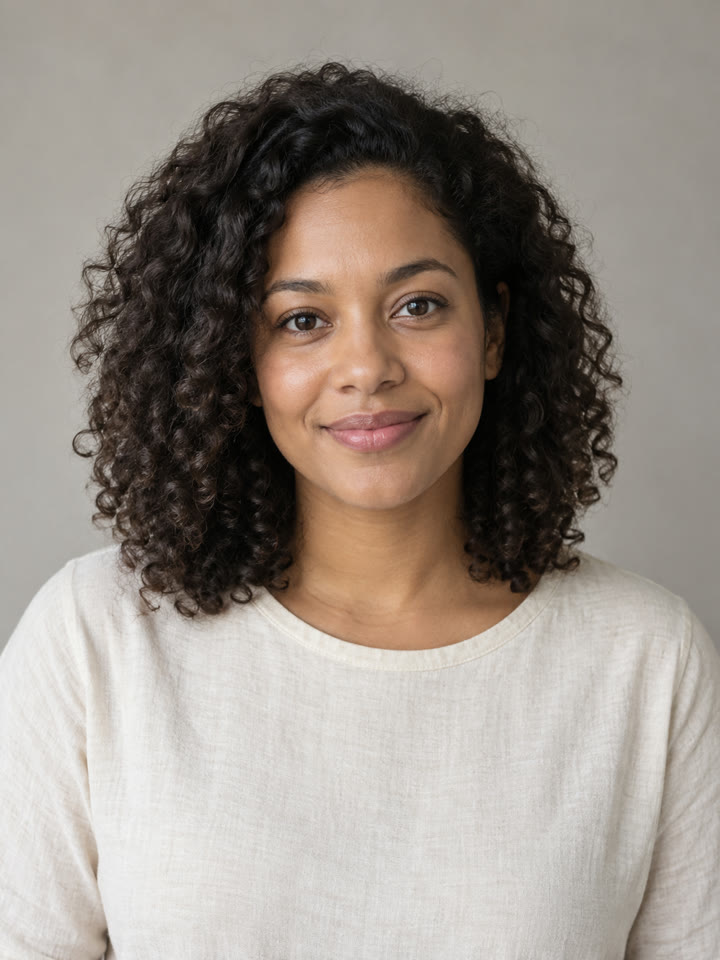 original portrait
00:00:01What you get
One photo in. Eight seconds on the pier.
The scene handles the setting, light and camera movement. Your portrait supplies the person. Download a vertical MP4 with singing-style motion, then add music in your editor. AI can change facial details; the movement is not synchronized to specific lyrics.
- 9:16
- vertical MP4
- 8s
- one continuous shot
- 0
- watermarks
00:00:02Dailies
One portrait, three real takes
These clips were generated on raindanceai.live using the same image-to-video workflow as the tool. The input portrait is an original AI-created adult character, not a customer photo. Watch the differences before choosing a scene.
Take 01 · Solo
Golden-Hour Pier
Take 02 · Solo
Rain on the Pier
Take 03 · Solo
Reception Lights
00:00:03The trend
The photo-to-pier format
A still portrait, a sudden change of setting, and a familiar soundtrack: that contrast is the idea behind the Raindance AI trend. Creators pair imagined seaside performances with “Raindance” by Dave and Tems. The generated clip and the licensed song are separate pieces; our trend guide explains how they fit together.
Updated . Sources: Universal Music · TikTok
Read the full trend breakdown →00:00:04Shot list
From upload to your finished post
Prepare your photos, choose the setting, then decide whether to buy a take.
- Shot 01
Upload one photo
Start with one clear portrait for Solo. For Duet, add one portrait of each person and confirm that you have their permission.
- Shot 02
Pick a scene
Compare the three scene previews and select a mood. Duets also offer Couple or Friends styling; you do not need to write a prompt.
- Shot 03
Get your 8-second clip
Choose a video pack. After payment is verified, generation begins. Keep the private result link to follow progress and download your silent, watermark-free MP4.
- Shot 04
Add the Raindance sound and post
In your posting app, add music that is available for your account and intended use. Place your original photo before the clip if you want a reveal, and label the realistic AI content.
00:00:05Locations
Choose the light for your take
- Scene 01
Golden-Hour Pier
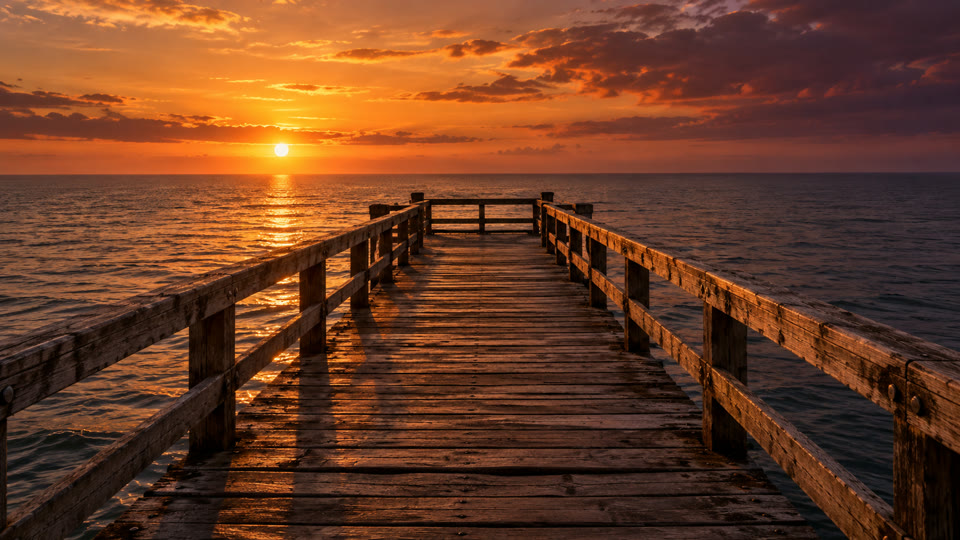
Warm backlight, open water and a gentle camera push toward you. Choose this scene for a calm, sunlit performance.
 Scene 02
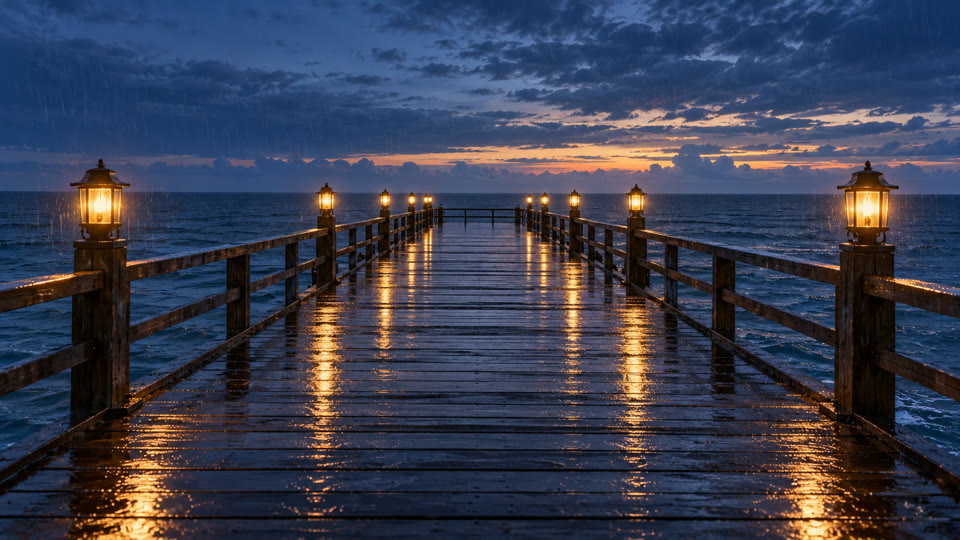
Rain on the Pier
Cool evening tones, wet boards and points of lamplight. The rain gives a quiet performance more atmosphere.
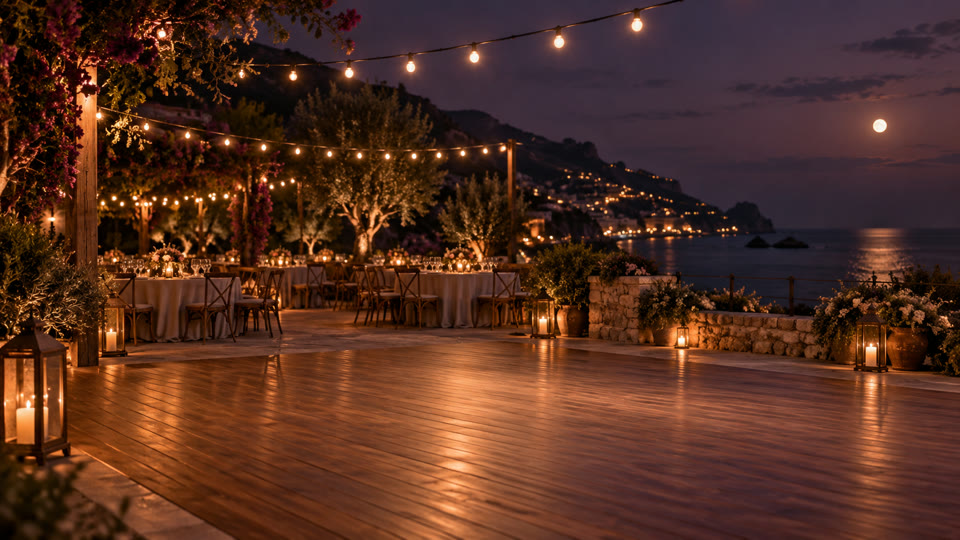 Scene 03
Reception Lights
String lights and an outdoor celebration replace the open pier. Pick this setting for a warmer, party-like backdrop.
00:00:06Cast
Make the moment yours
Solo, singing to the lens
Let one face carry the scene. A simple portrait leaves the expression, light and movement as the focus.
Couples
Bring two separate portraits into one shared shot. Choose Couple for a closer, affectionate performance.
Best friends
Choose Friends for two people standing side by side. Try the same scene together without needing a photo taken together.
Long-distance
Different cities, one imagined setting. Each person supplies a portrait and agrees to appear in the generated clip.
Soft launch
Create a short moment to share when you are both ready. Decide together which clip and caption feel right.
The meme take
Cast a consenting friend in an unexpectedly earnest performance. Keep the joke clear and label the clip as AI.
00:00:07Call sheet
Choose how many takes to make
One credit makes one new 8-second video. Packs let you change the scene or photos between takes. All prices are in USD.
- ✦ Packs do not renew automatically
- ✦ Keep your unused credits and recovery link
- ✦ Identity mismatch? Contact us within 7 days
- ✦ Downloads have no watermark
00:00:08Options
Choose a workflow that fits your idea
Compare the decisions each approach asks you to make. Other tools set their own prices, limits and export rules; check those before paying.
| Decision | This studio · raindanceai.live | An editing template | A general AI video model | Your own camera |
|---|---|---|---|---|
| Starting material | One portrait; two for Duet | Check the template’s required media | Check the model’s input formats | People, camera and a filming location |
| Scene control | Three presets, no prompt box | Choose from the editor’s templates | Define the scene in supported controls | Arrange your own setting and light |
| Two-person setup | Separate portraits, one shared shot | Check whether it accepts two subjects | Check reference and identity support | Bring both people into the shot |
| Budget to plan | 1 / 3 / 10 videos: $8.99 / $14.99 / $39.99 | Check the editor’s current export price | Check cost per render and retry | Account for travel, equipment and editing |
| Ongoing commitment | One-time packs; no recurring plan | Check the selected plan’s billing terms | Check the provider’s billing terms | Choose your equipment and software |
| Export and delivery | Silent MP4; no watermark; private result link | Check sound, dimensions and watermark rules | Check output format and usage terms | Edit and export the footage yourself |
00:00:09Questions
Raindance AI FAQ
What is the Raindance AI trend?
+
You can turn one portrait into an 8-second performance in a seaside or reception setting. Add a second portrait for a shared duet shot. The download is silent: combine it with a photo opening and music in your posting app to make your own version of the trend.
Is Raindance an AI song?
+
No. The official “Raindance” recording is credited to Dave and Tems. On this site, AI refers to newly generated video scenes, not to the recording. We do not make or supply the artists’ vocals.
What song is used in the Raindance AI trend?
+
The track is “Raindance” by Dave featuring Tems, on The Boy Who Played the Harp. Look for the official artist credit when selecting audio. This tool has no connection to the Raindance Film Festival.
Does my video include the Raindance song?
+
No — you receive a silent MP4 without music or generated vocals. Add the track through a licensed source available to your account. Buying a video here does not grant rights to the song, and music availability can differ by platform, region and use.
Will the mouth movements match the Raindance lyrics?
+
No exact lip-sync is promised. The model creates singing-style facial movement without receiving the song or lyrics, so a mouth movement may not match a particular word. Watch our samples to judge that effect before buying.
How do I add the Raindance sound on TikTok?
+
Open a new TikTok post with your downloaded MP4, choose Add sound, and search for Dave, Tems and Raindance. Select an available official track and adjust its start point. Check that your account and intended use allow that music.
How do I get the “photo, then cut to the pier” opening?
+
Build a two-part timeline in your editor: the original still photo first, then the downloaded video. Start with roughly one second for the photo and move the cut until it suits your chosen audio. Our download contains only the generated eight-second scene.
Is there a free Raindance AI video generator?
+
You can browse samples, upload portraits and choose a scene here without paying. There is no free personalized AI render: both scene generation and video generation start after verified payment. One video costs $8.99; packs contain 3 or 10 videos.
How much does it cost?
+
Choose 1 video for $8.99, 3 for $14.99 or 10 for $39.99, charged in USD as a one-time purchase. There is no account signup or recurring plan. Each new take uses one credit; unused credits have no scheduled expiry. Keep your private credit recovery link.
Can I make a Raindance duet with my partner?
+
Yes. Select Duet, upload a separate portrait of each person and choose Couple or Friends. The model is asked to keep both people in one continuous shot. You can swap the left and right photos before generating; resemblance and positioning can vary.
Which photos work best?
+
Use a well-lit portrait with one clearly visible face, facing roughly forward. A chest-up phone photo is a good starting point. Avoid sunglasses, strong beauty filters, very small faces and cropped group shots. For a duet, supply two separate photos, each smaller than 10 MB.
How long does it take?
+
Allow several minutes rather than seconds; provider load and content checks affect the time. Your private result page shows progress, so you can close the tab and return with the same link. We do not currently send completion emails. Download the file before its 30-day availability ends.
Does it use Dave's or Tems' face, voice or the original music video?
+
The tool generates new visuals from your uploaded portraits. It does not bundle the official music video, use the artists as default characters or generate their voices. raindanceai.live is an independent service with no artist, label, TikTok or festival affiliation.
What if my video fails or looks wrong?
+
A confirmed generation failure restores the video credit automatically. That is a credit return, not an automatic cash refund. For an obvious identity mismatch, contact support within 7 days for a review. Support checks the result before confirming any replacement or refund. A different creative choice normally uses another credit; see our refund policy.
Do I have to label it as AI on TikTok?
+
Yes. TikTok requires disclosure of realistic AI-generated images, audio and video. Use the AI-generated content setting when publishing and review TikTok’s current guidance. A label does not replace consent or make prohibited content acceptable.
What happens to my photos?
+
APIMODELS receives the reference photos to generate your scene and video. This site does not sell uploads or use them to train models. Website uploads and result files expire after 30 days. Supplier reference links can be read by anyone who has the URL until their 30-day expiry; do not upload sensitive photos. See Privacy for processing and deletion details.
Can I use a photo of someone else?
+
Get permission from the person shown and make sure you can use the photograph. A parent or guardian must consent for a minor, and the destination platform may impose stricter rules. Do not use someone’s likeness to deceive, impersonate, harass or imply an endorsement.
That's a wrap
Your portrait. Your next take.
Set up my takeChoose a scene first. Generation starts after payment.